
Website feedback for Joomla
In Joomla the script goes into a Custom module in the footer position. One thing first: the editor removes script tags by default.
Step by step
-
Stop the editor from removing the script
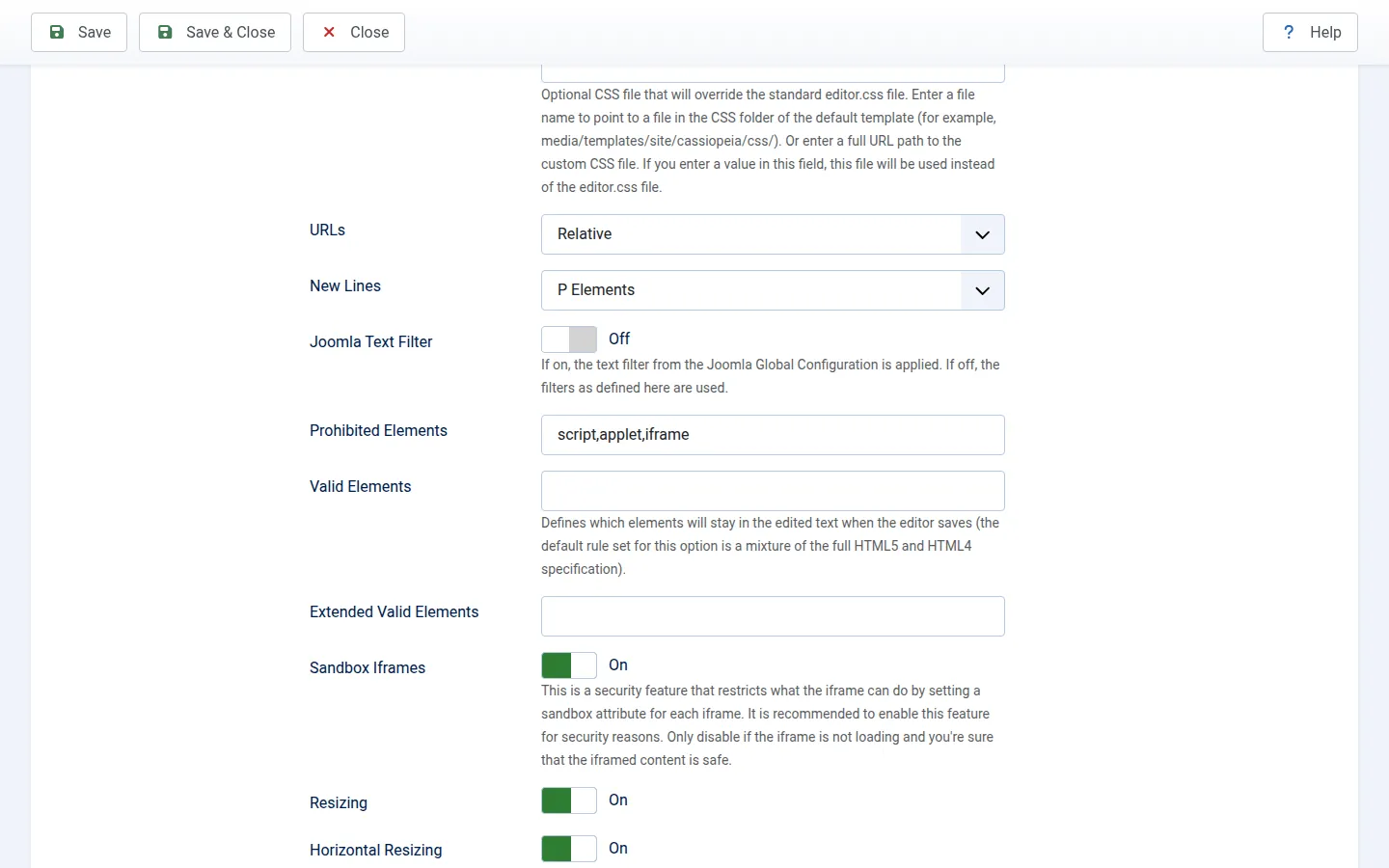
TinyMCE strips <script> by default. For this module set the editor to None, or remove script from Prohibited Elements in the editor settings.
-
Create a Custom module
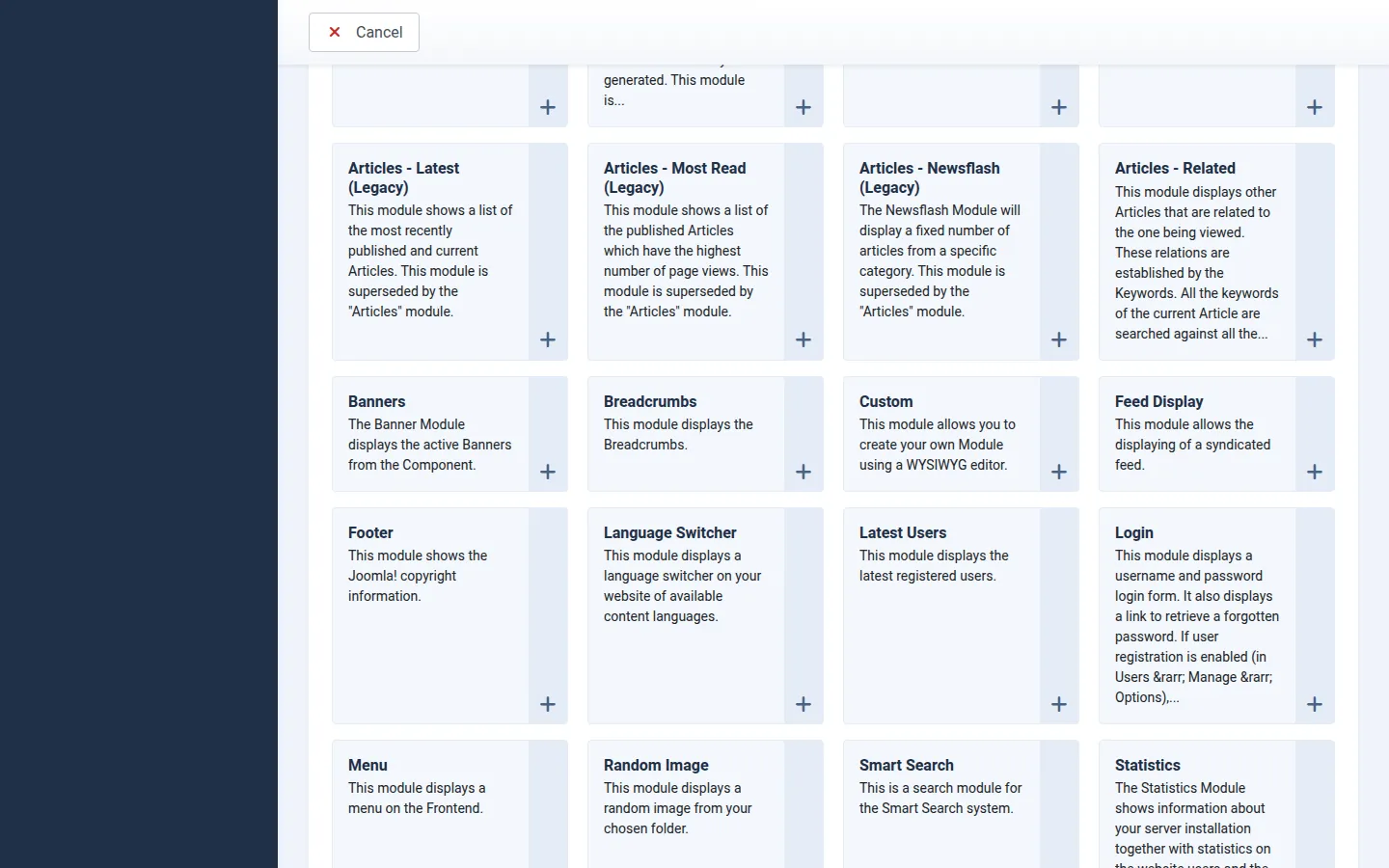
Go to Content › Site Modules › New and choose Custom.
-
Paste and place it
Paste your script, set the position to footer, publish the module and save.
<script src="https://clickandsay.com/client.js" defer></script>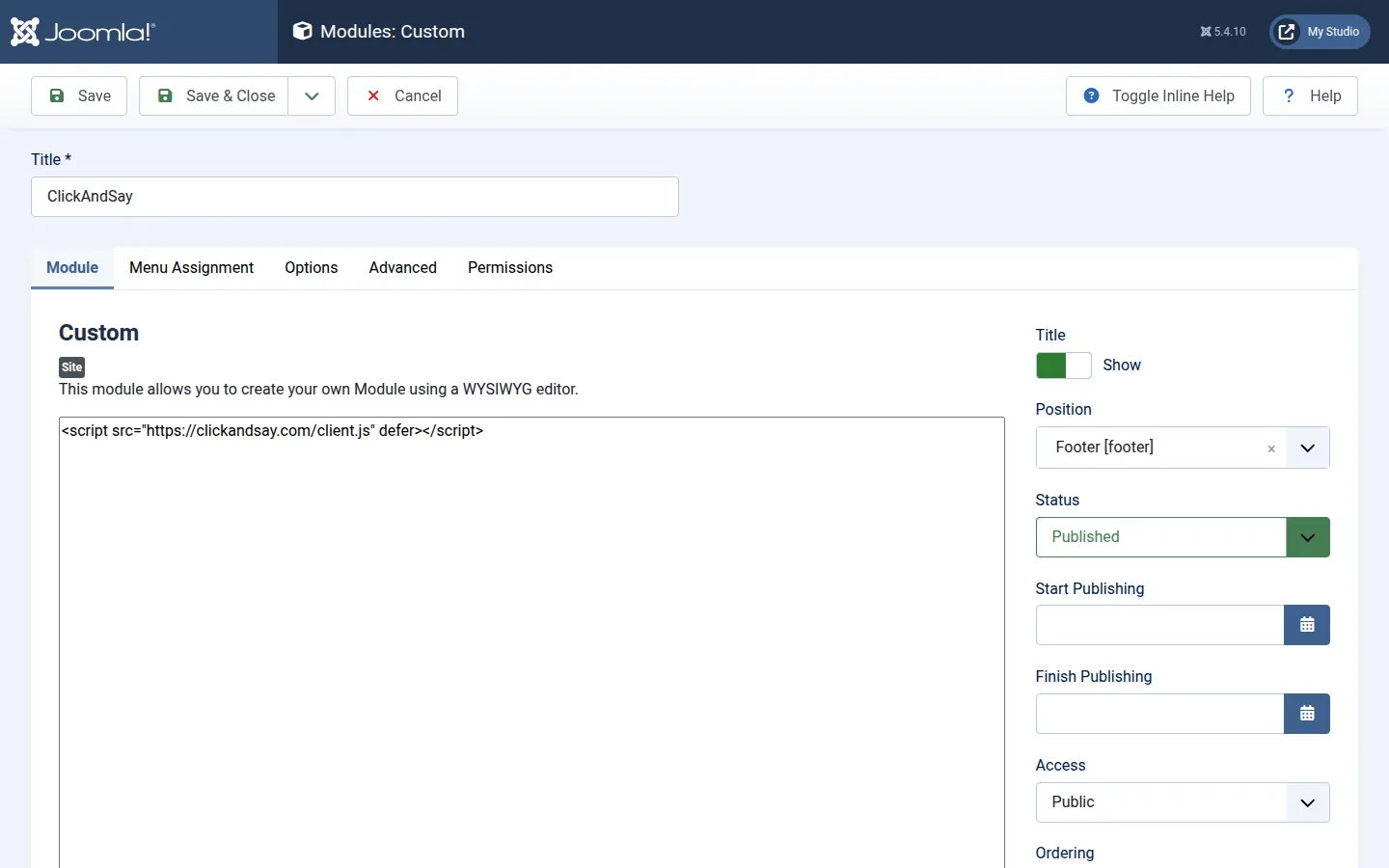
-
Check it
Open your site through the install link from your ClickAndSay project. The feedback button appears. Nothing there? Open the module again and see if the script is still in it.
Questions
The script disappeared after saving.
TinyMCE removed it. Switch the editor to None for this module and paste it again.
Will every visitor see a feedback button?
No. The button only shows up for people who open your install link.
Can't edit the site?
Send the feedback link (nothing to install) instead. It works without touching the site.