
Website feedback for WordPress
The easiest way is our plugin. If you would rather not add one, a snippet in the footer does the same.
Step by step
-
Upload the plugin
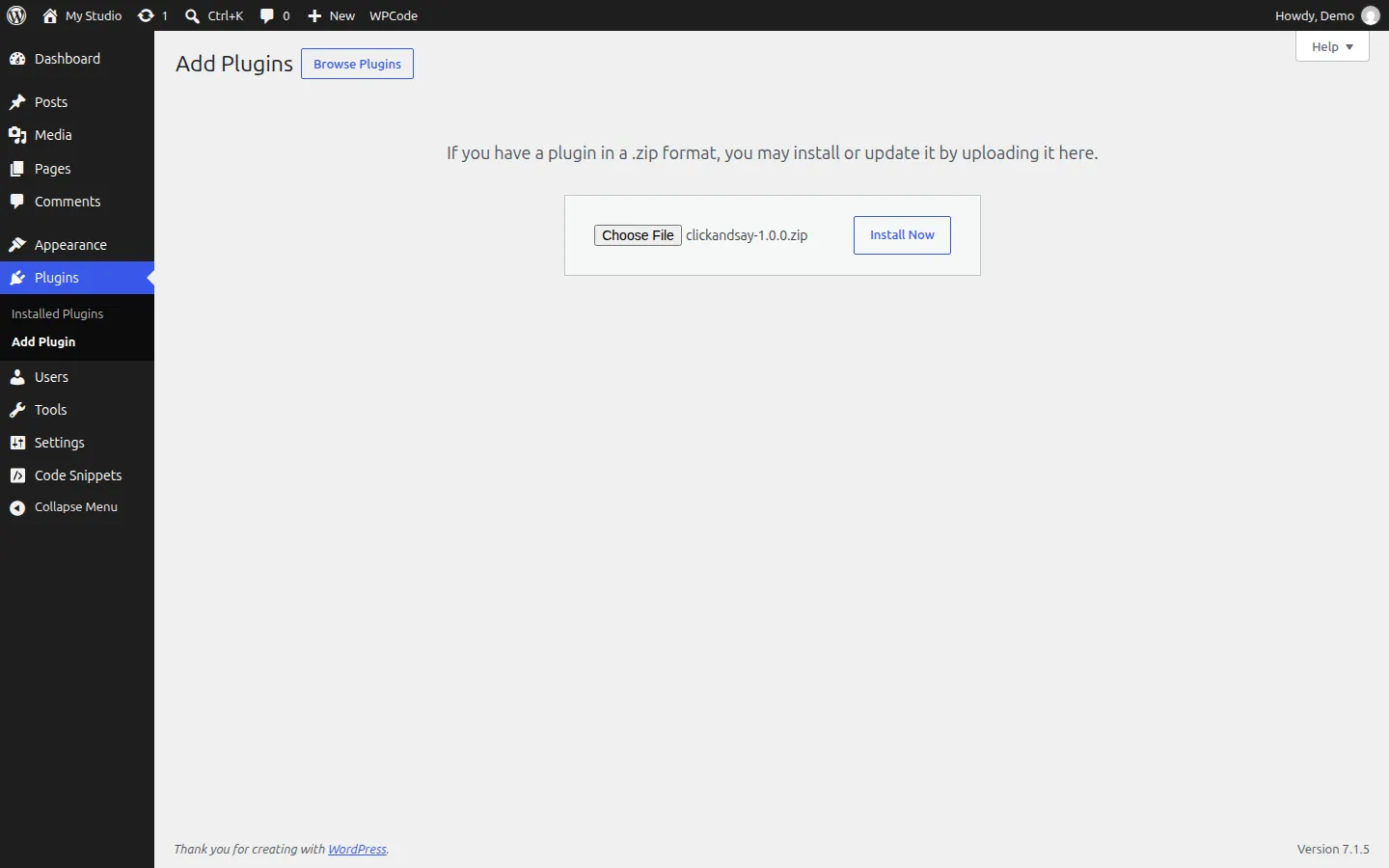
The plugin is not in the WordPress directory yet, so searching for it finds nothing. Download the zip file below. In WordPress go to Plugins › Add Plugin › Upload Plugin, choose the file, click Install Now and activate it.
-
Connect your project
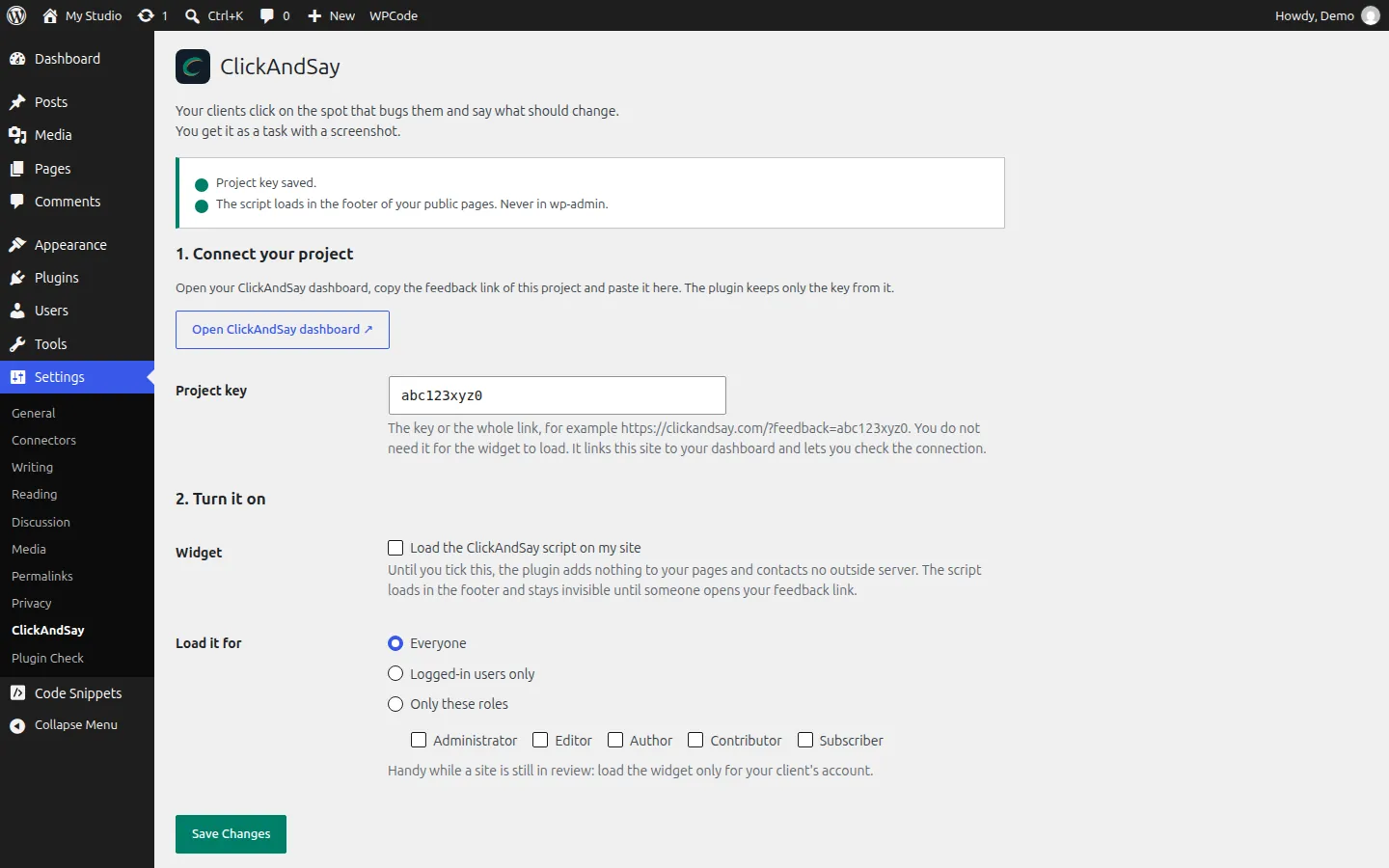
Open Settings › ClickAndSay. Copy the feedback link of your project from your ClickAndSay dashboard and paste it into Project key. The plugin keeps only the key.
-
Switch it on
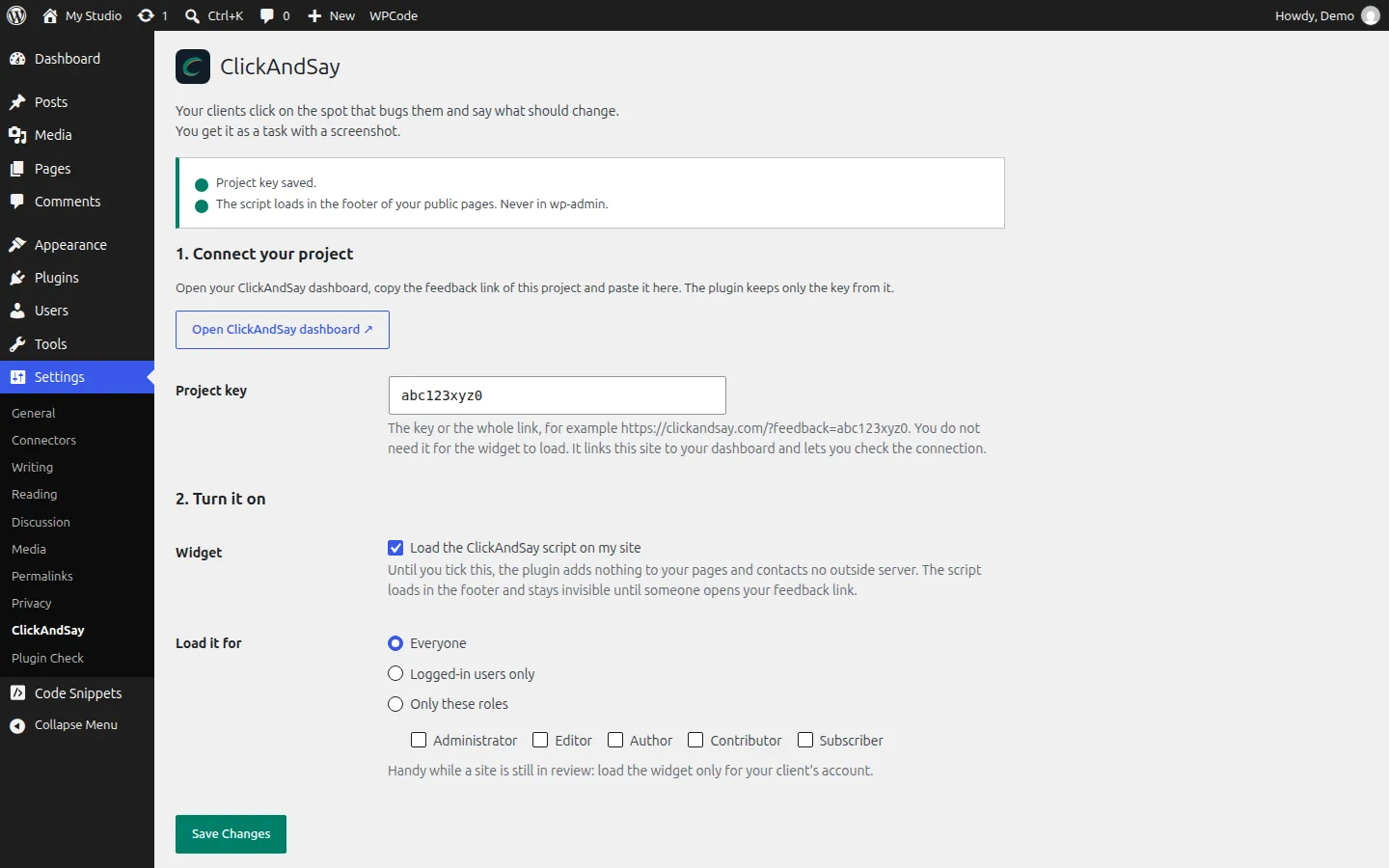
Tick Load the ClickAndSay script on my site and choose who gets it: everyone, logged-in users only, or certain roles. Save.
-
Check it
Open your site through the install link from your ClickAndSay project. The feedback button appears. In the dashboard, Check connection should say the script is installed.
Questions
Will every visitor see a feedback button?
No. The button only shows up for people who open your install link. Everyone else gets a script that does nothing.
I pasted the script but nothing happens.
Your theme has to call wp_footer(), almost every theme does. If you use a caching plugin or a CDN, clear the cache once.
Can I put the script into footer.php?
Better not. A theme update overwrites footer.php. Use our plugin, a snippet plugin or a child theme.
Do I need the plugin?
No. It only saves you the code and lets you limit who gets the script. The snippet does the same job.
Can't edit the site?
Send the feedback link (nothing to install) instead. It works without touching the site.